

If you have a zune and want to add the CP Podcast..
Well Caesar has submitted the feed to the Zune market place, but according to several forum post and interweb searches, it can take a really long time to go up.
But you can do it manually.
First copy this link:
http://feeds.feedburner.com/2o2pCommunityPulse
Now open your Zune software and collection and then podcasts
At the bottom left corner of the window you should see a button to "add a podcast"
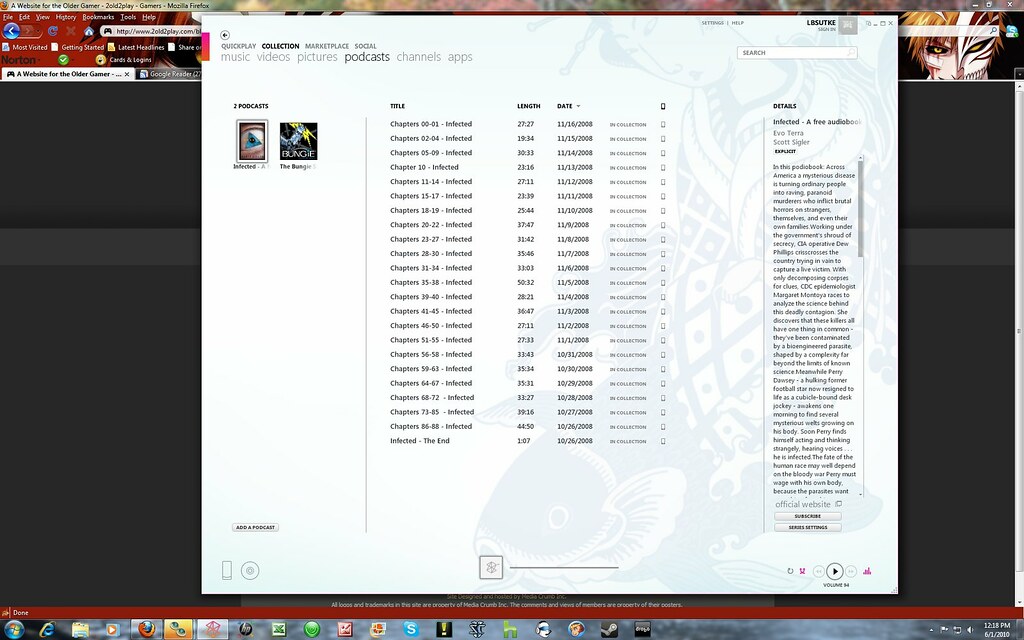
Click on it and you should see another windowm pop up that says Subscribe at the top of it:
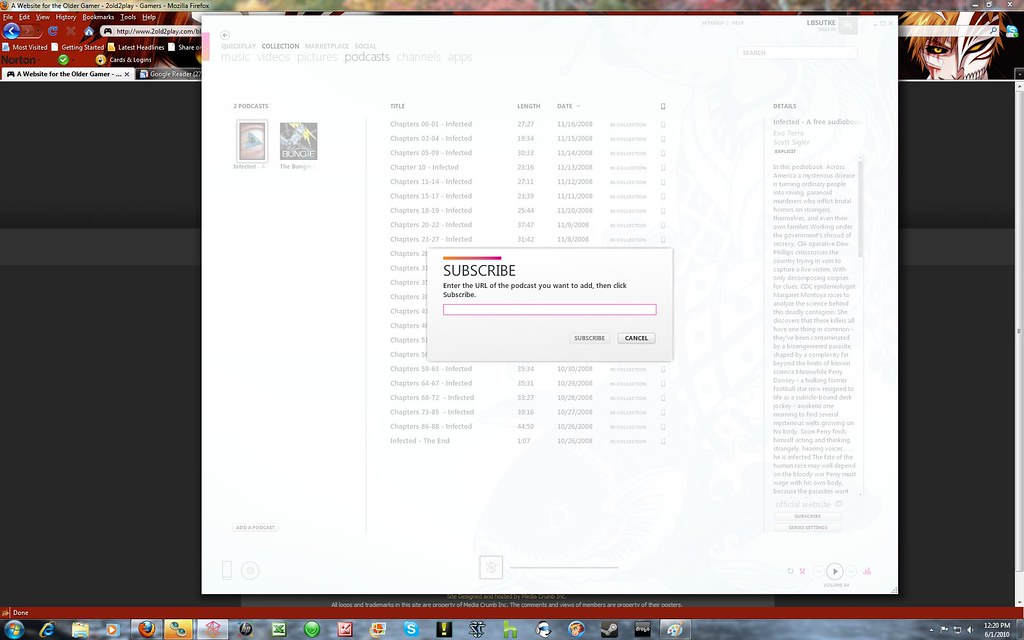
Now paste the copy link I posted at the beginning of this blog in the empty text box it should like like below:
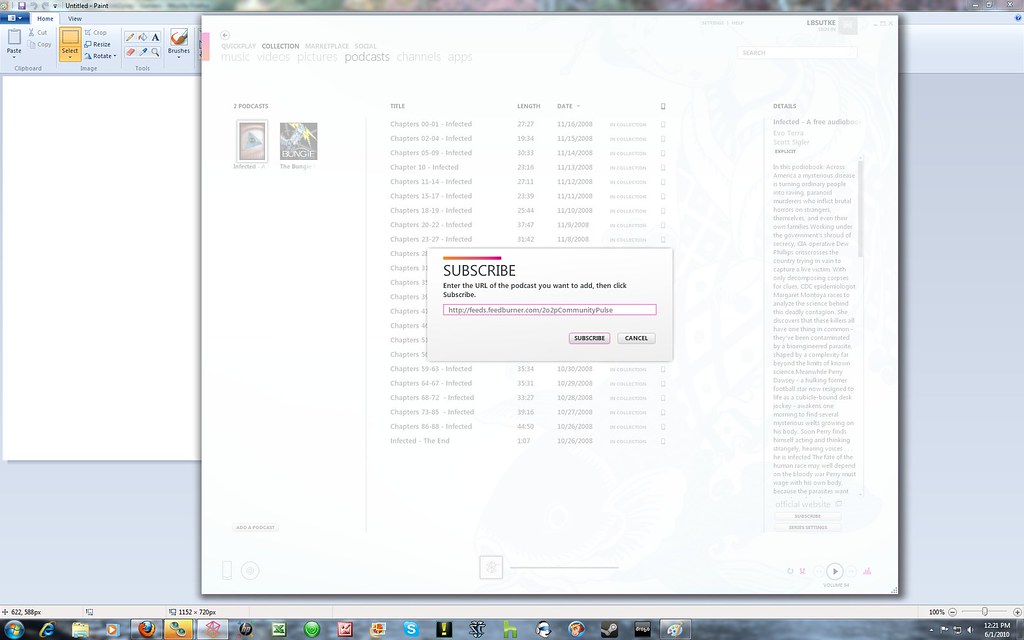
Now just click on subscribe and depending on your podcast settings, should start to download the current podcast and list the other previous podcasts.
So from now one everytime a new CP podcast is put up, the Zune software should detect it and download it.
Let me know if you guys have any questions and thanks for listening to the Community Podcast!!